Introduction
The latest generation of Large Language Models (LLMs) has arrived with impressive context windows, sometimes stretching to hundreds of thousands or even millions of tokens. It’s exciting, isn’t it? The immediate temptation is to just dump your entire codebase, a year’s worth of logs, your ticketing system history, and every Slack message into the prompt, confident the LLM will sift through it all and deliver brilliance. After all, if the model can handle it, why wouldn’t you?
But here’s the quiet truth: bigger context windows are not a license to indiscriminately flood your prompts with data. Just as adding more RAM to a server doesn’t mean you stop optimizing your application’s memory usage, expanded LLM context doesn’t absolve you of intelligent data management. This approach can quickly escalate costs, degrade performance, and even confuse the very models you’re trying to leverage.
In this post, you’ll learn how to apply time tested cache design principles to your LLM context management, treating tokens not as an infinite resource, but as a strategic budget, much like you manage system memory.
The Infinite Context Illusion
You’ve probably seen the demos: “Look, I gave it an entire novel, and it understood the subplot on page 372!” This capability is genuinely powerful, but it often obscures the practical challenges you’ll face in production. The illusion that more context automatically means better results or simpler application design is a dangerous one.
First, there’s the cost. LLM providers are getting smarter about pricing, and many are now explicitly pricing prompt caching and reused context as a performance and cost optimization surface [1]. Dumping unnecessary data into every prompt means you’re paying for tokens that aren’t contributing to the model’s understanding or your application’s goal. It’s like buying a server with a terabyte of RAM but only ever using 10GB, yet paying for the whole thing every second.
Then there’s performance. More tokens mean more processing time, leading to higher latency for your users. Even if the models are getting faster, adding hundreds of thousands of tokens will inevitably slow down response times. Your users expect snappy AI experiences, not a pause while the model reads your entire company wiki.
Finally, there’s the subtle but critical issue of model efficacy. While Google’s Gemini documentation emphasizes its long-context processing capabilities [2], even the most advanced LLMs can suffer from a “lost in the middle” problem. Essential information buried deep within a massive context window can be overlooked or misinterpreted. Overwhelming the model with noise means the signal gets harder to find.
Engineering Context Like a CPU Cache
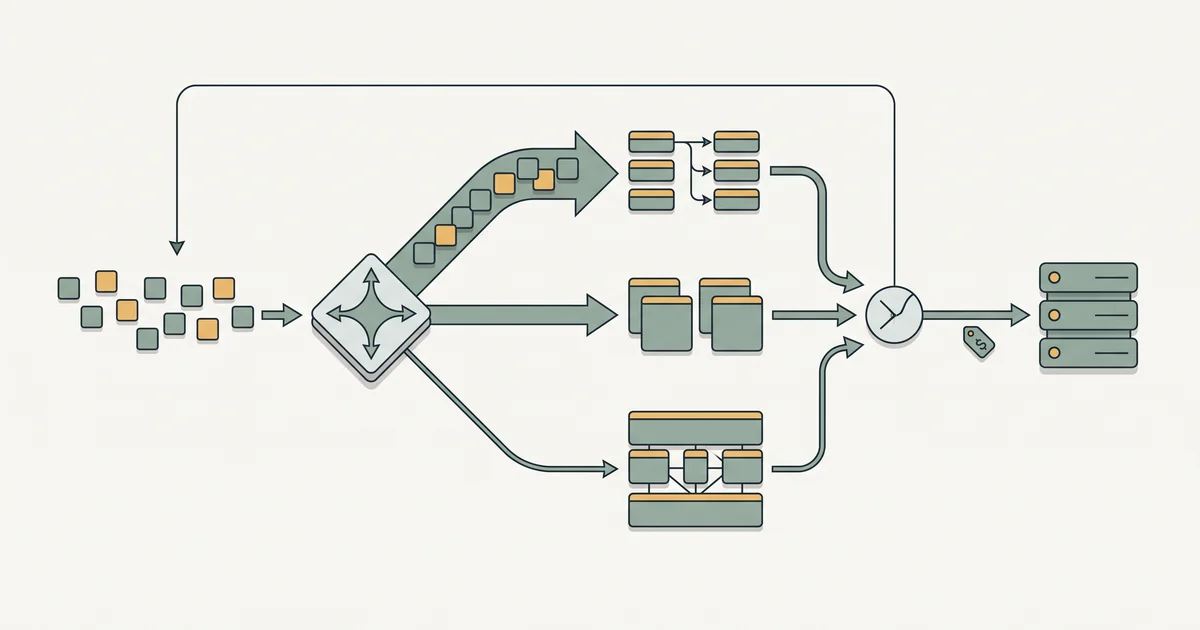
The solution isn’t to shy away from large context windows, but to manage them with the same rigor you’d apply to any other finite, valuable resource in your software stack. This is where the analogy to CPU caches and system memory becomes incredibly useful. You’re effectively building a memory hierarchy for your LLM.
Simon Willison has popularized the term context engineering to describe this practical craft of selecting, shaping, and ordering information given to LLMs [3]. It’s about being deliberate. Think about how an operating system or a CPU manages memory: it doesn’t just load everything into RAM. It uses caching, virtual memory, and sophisticated eviction policies to ensure the most relevant data is readily available, while less critical data is swapped out or stored in slower tiers. The MemGPT paper even argues that LLM applications need explicit memory management because finite context windows create constraints similar to traditional operating-system memory pressure [4].
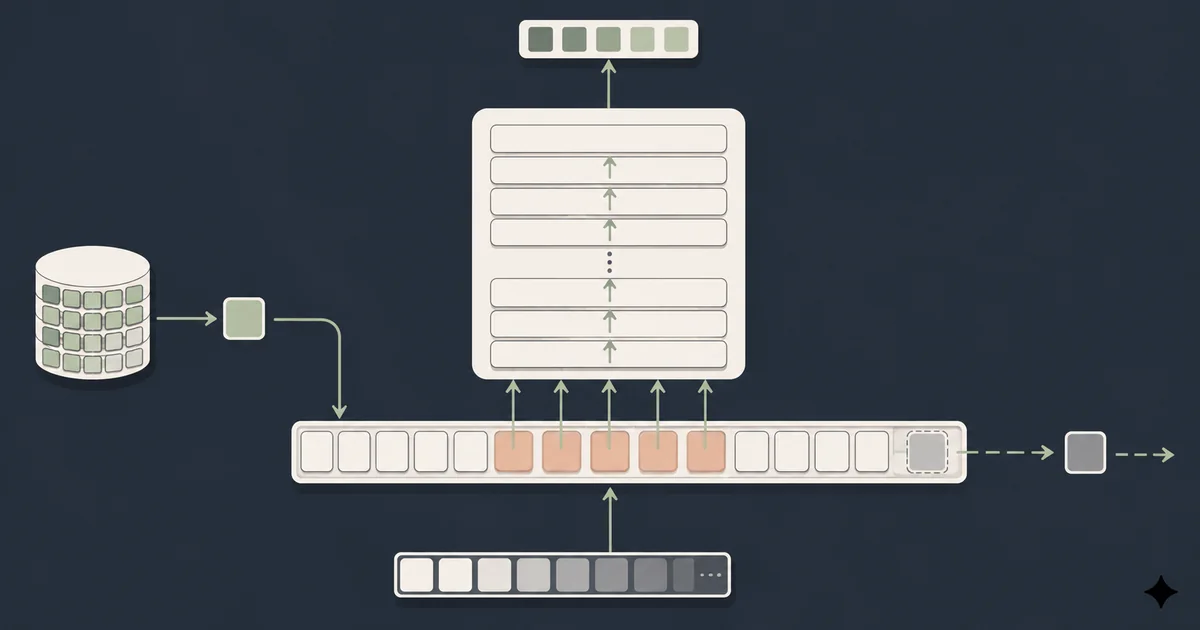
Your LLM’s context window is its working memory. Just like a CPU cache, it’s fast and expensive, so you need to fill it with precisely what the LLM needs, when it needs it. This means adopting principles like:
- Locality of Reference: Prioritizing data that’s recently used or spatially close to what’s currently being processed.
- Eviction Policies: Deciding what data to remove when the context window is full to make space for new, more relevant information.
- Prefetching: Anticipating what data the LLM will need next and loading it proactively.
- Compression/Encoding: Representing information in the most compact and efficient way possible.
- Cache Poisoning Prevention: Actively filtering out irrelevant or misleading data.
Budgeting Your Tokens: Cache Principles in Practice
Let’s break down how you can apply these principles directly to your LLM applications, turning a nebulous concept into actionable steps.
1. Optimize for Locality (Temporal & Spatial)
Temporal locality means that if an item was accessed recently, it’s likely to be accessed again soon. For LLMs, this translates to prioritizing recent chat history, recently edited code, or frequently referenced documentation.
Spatial locality means that if an item is accessed, items near it are likely to be accessed soon. Think of a code file: if you’re working on src/components/Button.tsx, the LLM probably needs other files in src/components/ or src/utils/ more than files in an unrelated backend/ directory.
- Actionable Advice:
- Prioritize Recency: For chat applications, always include the most recent turns. For coding assistants, focus on files that have been modified most recently or are currently open in the IDE.
- Group Related Information: When retrieving documents for RAG (Retrieval Augmented Generation), don’t just send individual sentences. Send chunks that are topically cohesive. If you retrieve a function definition, also include its related class, interface, or calling code.
# Example: Prioritizing recent chat history and relevant code context
def assemble_context(chat_history, active_file_content, related_files_content, max_tokens):
    context_parts = []
    current_tokens = 0

    # 1. Always include recent chat history (highest temporal locality)
    for message in reversed(chat_history): # Iterate backwards to add recent first
        msg_tokens = estimate_tokens(message)
        if current_tokens + msg_tokens <= max_tokens * 0.4: # Allocate a percentage
            context_parts.insert(0, message)
            current_tokens += msg_tokens
        else:
            break

    # 2. Add content of the actively edited file (high spatial and temporal locality)
    file_tokens = estimate_tokens(active_file_content)
    if current_tokens + file_tokens <= max_tokens:
        context_parts.append(active_file_content)
        current_tokens += file_tokens

    # 3. Add relevant surrounding files (spatial locality)
    for file_name, content in related_files_content.items():
        if current_tokens + estimate_tokens(content) <= max_tokens:
            context_parts.append(f"--- File: {file_name} ---\n{content}")
            current_tokens += estimate_tokens(content)
        else:
            break

    return "\n".join(context_parts)
2. Implement Smart Eviction Policies
When your context window is full and new information needs to come in, something has to go. This is where eviction policies come into play.
- Actionable Advice:
- Least Recently Used (LRU): The simplest and often most effective. Discard the information that hasn’t been referenced for the longest time. This is great for conversational AI where older turns become less relevant.
- Least Frequently Used (LFU): Remove items that have been used the fewest times. Useful for knowledge bases where some documents are consistently more vital than others.
- Custom Heuristics: For coding assistants, you might prioritize removing generated code snippets over foundational library documentation, or deprioritize tests once the implementation is stable. You can assign “weights” based on type of information or user interaction.
3. Embrace Prefetching
Prefetching means predicting what the LLM will need next and loading it into context before it’s explicitly requested. This reduces latency and improves the fluidity of the interaction.
- Actionable Advice:
- Anticipate Next Steps in Workflows: If a user asks for a function signature, prefetch its implementation details, its associated tests, and its typical usage examples.
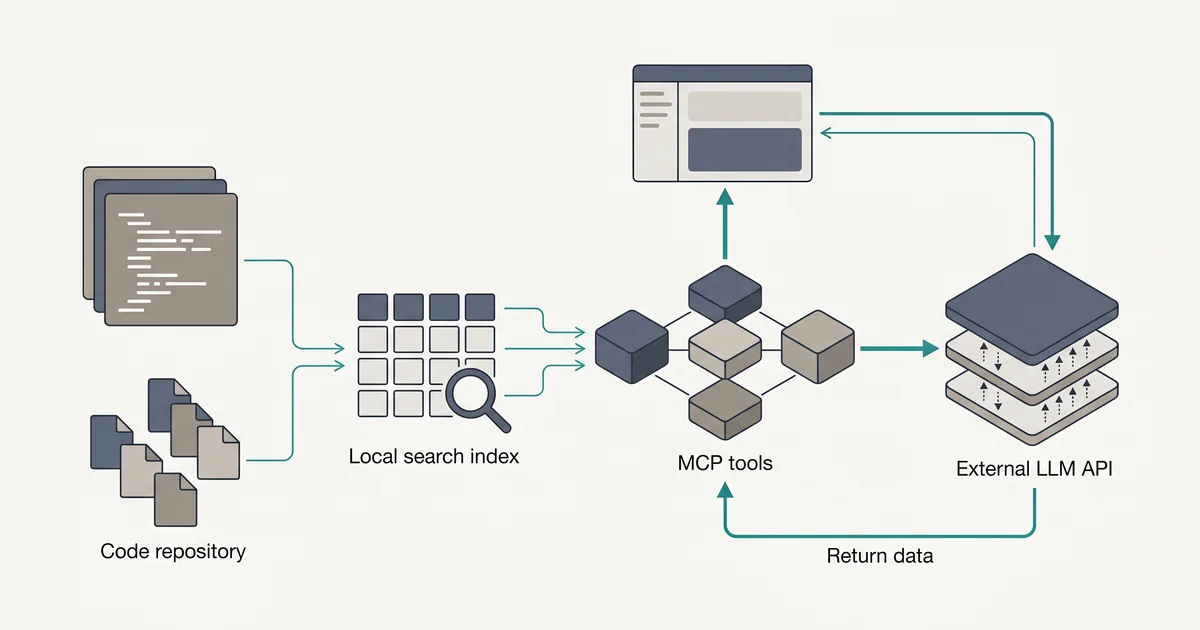
- Contextual Auto Loading: For a code assistant, when a user opens a file, immediately retrieve and chunk its dependencies, related interfaces, and relevant README sections.
- Leverage User Intent: If the user’s current query implies a follow-up (e.g., asking about an error message likely means they’ll ask for a fix or explanation of the stack trace), prefetch relevant logs or documentation.
4. Compress and Encode Information Efficiently
Not all tokens are created equal. You can often convey the same amount of information using fewer tokens through intelligent compression or encoding.
- Actionable Advice:
- Summarization: Instead of feeding an entire transcript, summarize it. If a document is long, retrieve its abstract or a concise summary.
- Entity Extraction: If you only need specific facts (e.g., “list all users mentioned in this document”), extract those entities rather than providing the full text.
- Structured Data: Convert complex, verbose natural language into structured formats like JSON or YAML. This is particularly effective for configuration, API schemas, or code definitions.
- Semantic Chunking: Break documents into semantically meaningful chunks (e.g., a function, a class, a paragraph), rather than arbitrary token counts, to make retrieval more precise.
// Example: Representing a function definition as structured data
{
  "type": "function",
  "name": "calculate_discount",
  "description": "Calculates the discount based on customer type and order value.",
  "parameters": [
    {
      "name": "customer_type",
      "type": "string",
      "enum": ["new", "loyal", "vip"]
    },
    { "name": "order_value", "type": "number" }
  ],
  "returns": { "type": "number", "description": "Discount percentage" }
}
This is far more compact and unambiguous than a natural language description.
5. Prevent Cache Poisoning
Cache poisoning occurs when your cache (in this case, your LLM’s context) is filled with irrelevant, misleading, or outright incorrect information, which then degrades the quality of the output.
- Actionable Advice:
- Aggressive Filtering: Before adding any retrieved content, apply filters based on relevance scores, age, source credibility, or even simple keyword blacklists.
- Demote Stale Data: Outdated documentation or code comments that no longer reflect the current implementation should be deprioritized or removed entirely.
- Sanitize Inputs: Be mindful of user generated content or external data sources that might contain adversarial inputs designed to mislead the model.
Beyond Token Counts: Common Context Traps
Even with these principles in mind, it’s easy to fall into traps specific to LLM context window management.
One common mistake is over-reliance on retrieval alone. While RAG is powerful, simply retrieving documents and stuffing them into context without intelligent ranking, filtering, or summarization can still lead to noise. The quality of your retrieval system (vector embeddings, keyword search, hybrid approaches) directly impacts the quality of your context.
Another pitfall is ignoring the “order effect” or “lost in the middle” effect. While models like Google’s Gemini are designed for long context [2], research shows that LLMs sometimes pay less attention to information in the middle of a very long prompt, favoring the beginning and end. This means the ordering of your context matters. Prioritize critical information at the start and end of your prompt.
Finally, failing to adapt context strategy to different LLM tasks can be costly. A summarization task might benefit from a broad overview, while a code generation task needs extremely precise, localized context. One-size-fits-all context management is rarely optimal. Your prompt caching strategy should align with the specific intent of each LLM call.
The Evolving Art of Context Management
As LLMs continue to advance, so too will the tools and techniques for context engineering. We’re already seeing models that can manage their own internal memory more effectively, and frameworks that abstract away some of these complexities. Tools like MemGPT point towards a future where LLM applications have explicit memory management capabilities, enabling more sophisticated, multi turn interactions and longer running agentic workflows.
The lines between prompt engineering, RAG, and core LLM architecture are blurring. Future LLM context window strategies might involve more dynamic, hierarchical memory systems where different types of context (short-term, long-term, factual, episodic) are managed by specialized modules, each with its own “cache policy.” Expect more explicit APIs for controlling how and when context is cached and evicted, becoming true infrastructure primitives for AI application development.
From Infinite Dump to Strategic Resource
The era of “just dump it all in” is over, or at least, it should be. The increasing size and decreasing cost of LLM context windows are not a signal to abandon careful resource management. Instead, they elevate context engineering into a critical, architectural discipline for anyone building serious AI applications.
By applying the battle tested principles of cache design—locality, eviction, prefetching, compression, and poisoning prevention—you can transform your LLM context from a sprawling, expensive free-for-all into a lean, efficient, and highly effective working memory. This shift won’t just save you money; it will result in more responsive, reliable, and ultimately more intelligent AI-powered experiences for your users.
References
[1] Anthropic Docs — Prompt caching — https://docs.anthropic.com/en/docs/build-with-claude/prompt-caching [2] Google AI for Developers — Long context — https://ai.google.dev/gemini-api/docs/long-context [3] Simon Willison’s Weblog — Context engineering tag — https://simonwillison.net/tags/context-engineering/ [4] arXiv — MemGPT: Towards LLMs as Operating Systems — https://arxiv.org/abs/2310.08560