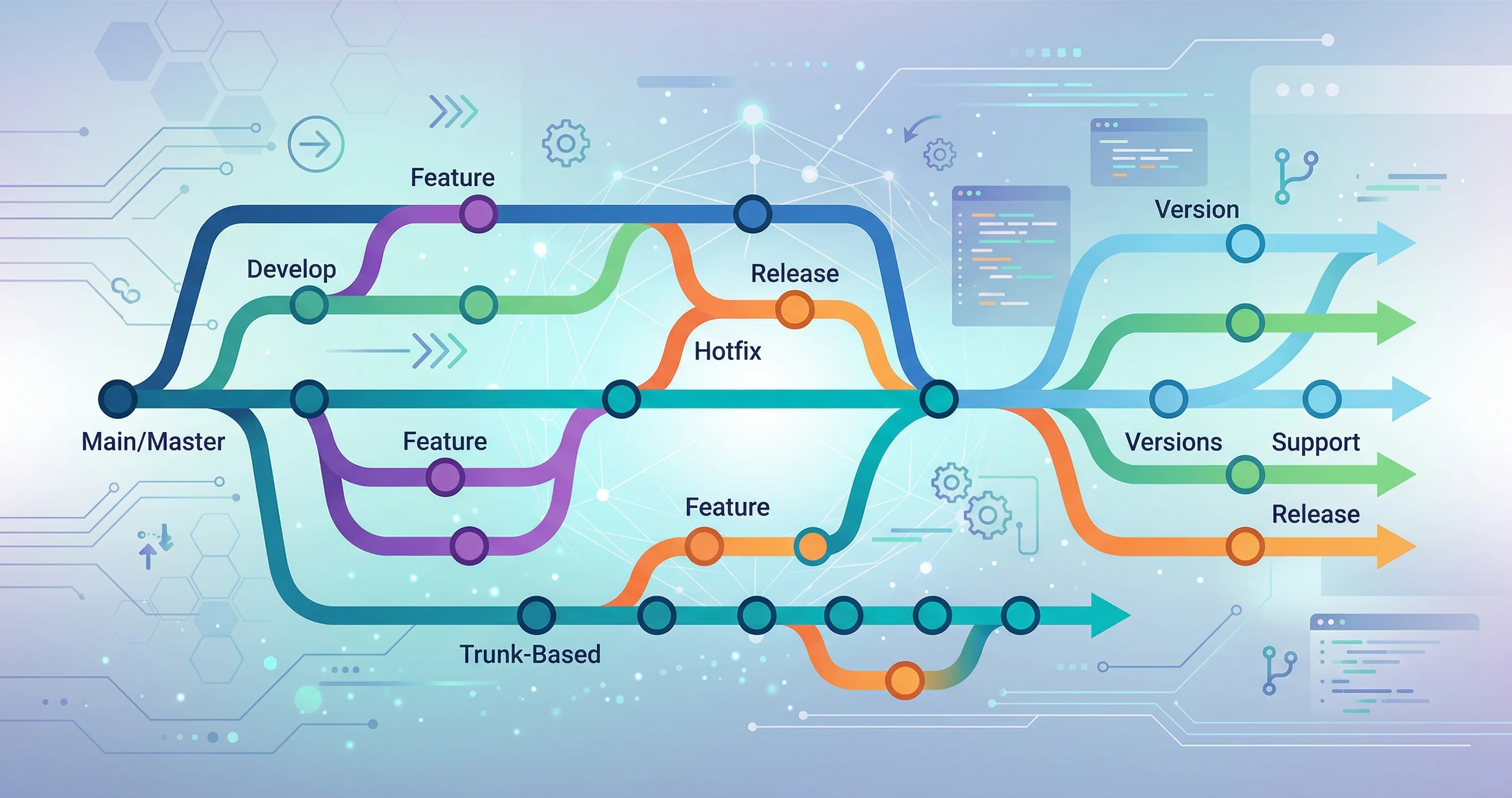
Why Branching Strategies Matter
How your team uses branches determines how fast you can ship, how often you integrate, and how painful your merges are. A poorly chosen strategy leads to long-lived branches, merge conflicts, and release bottlenecks. Choosing the right one up front saves significant pain later.
GitFlow
GitFlow uses two permanent branches and three types of temporary branches:
main ──────────────────────────────────────► (production)
         ↑                        ↑
develop ─┴────────────────────────┴────────► (integration)
          ↑          ↑     ↑
       feature/x  release hotfix
Branch types:
main— production-ready code only. Every commit here is a release.develop— integration branch. Features merge here first.feature/*— one branch per feature, branched from and merged back todevelop.release/*— cut fromdevelopwhen preparing a release. Only bug fixes allowed.hotfix/*— emergency fixes branched directly frommain, merged back to bothmainanddevelop.
# Start a feature
git checkout develop
git checkout -b feature/user-auth

# Finish a feature (merge back to develop)
git checkout develop
git merge --no-ff feature/user-auth
git branch -d feature/user-auth

# Create a release branch
git checkout develop
git checkout -b release/1.2.0

# Hotfix from main
git checkout main
git checkout -b hotfix/critical-login-bug
When to use GitFlow: Large teams with scheduled releases, separate QA environments, and strict release processes. Common in enterprise and open source libraries with versioned releases.
Downsides: Heavy process. Long-lived branches cause large merges. Slow release cycle.
Trunk-Based Development
Everyone commits to a single branch (main or trunk) — either directly or via very short-lived branches (hours or 1–2 days at most).
main ─────●─────●─────●─────●─────●──────► (always deployable)
           ↑     ↑
        tiny  tiny
       branch branch
        (1d)  (4h)
Key practices:
- Feature flags hide incomplete features in production
- Small, focused commits shipped multiple times per day
- Automated CI runs on every push — the build must always be green
- No long-lived feature branches
# Start a short-lived branch
git checkout -b feat/add-search-param

# Work, commit, push, open PR within a day
git add -p
git commit -m "Add q param to search endpoint"
git push origin feat/add-search-param
# → Merge to main via PR after review
When to use: Teams with strong CI/CD, high deployment frequency (multiple times per day or week). Used by Google, Facebook, and most modern SaaS companies.
Downsides: Requires discipline and feature flags. Harder to manage if CI is slow or flaky.
Feature Branch Workflow
The pragmatic middle ground for most teams. Branches live slightly longer than trunk-based (days to weeks, not months) and merge to main via pull requests.
main ─────●──────────────●──────────●──────►
           \              ↑          ↑
            feature/a ────┘          │
                 \                   │
                  feature/b──────────┘
# Branch from main
git checkout main
git pull origin main
git checkout -b feature/payment-page
# Keep in sync with main regularly
git fetch origin
git rebase origin/main
# Open a PR when ready
git push origin feature/payment-page
# → open PR → code review → mergeWhen to use: Most product teams. Simple mental model, easy to learn, works well with GitHub/GitLab PR workflows.
Choosing the Right Strategy
| Factor | GitFlow | Trunk-Based | Feature Branch |
|---|---|---|---|
| Team size | Large (10+) | Any | Small–medium |
| Release cadence | Scheduled (monthly+) | Continuous (daily+) | Weekly |
| CI maturity required | Medium | High | Medium |
| Merge complexity | High | Low | Medium |
| Learning curve | High | Medium | Low |
Branch Naming Conventions
Consistent naming makes branches scannable and helps CI rules apply automatically:
feature/short-description     # New functionality
fix/bug-description           # Bug fixes
chore/task-description        # Non-feature work (deps, refactor)
release/1.2.0                 # Release preparation
hotfix/critical-description   # Emergency production fixes
Many teams prefix branches with the issue tracker ID:
feature/PROJ-123-add-user-auth
fix/PROJ-456-null-pointer-login
Pick a convention, document it in your contributing guide, and enforce it with a branch protection rule or CI check.
Choosing A Strategy By Team Shape
The right branching strategy depends more on team behavior than team size. If your team deploys frequently, writes automated tests, and keeps changes small, trunk-based development is usually the cleanest option. It reduces merge drift because everyone integrates with the main branch often.
If your release process is slower or tied to scheduled batches, short-lived feature branches may be more comfortable. The key phrase is short-lived. A feature branch that stays open for weeks becomes a private fork. It misses refactors, dependency changes, and bug fixes from the main line until the final merge becomes painful.
GitFlow can still make sense for products with long release trains, strict support branches, or multiple maintained versions. It is often too heavy for small web apps and internal tools. If every change requires moving through several branch types, the process may be protecting a release model you no longer have.
Review And Merge Rules
Branching strategy only works when merge rules match it. For trunk-based development, require tests and small pull requests. For feature branches, require regular rebasing or merging from main. For release branches, define who can cherry-pick fixes and how those fixes return to main.
Avoid mixing models casually. A team that says it uses trunk-based development but keeps week-long feature branches is really using feature branches without admitting it. Naming the real model helps you improve it.
Common Failure Modes
Long-running branches create integration debt. Protected branches without fast CI create waiting debt. Too many release branches create bookkeeping debt. The strategy is not just a diagram. It is a system that either lowers coordination cost or quietly raises it.
Watch for repeated conflict hotspots. If the same files conflict every week, the problem may be ownership, architecture, or too much parallel work in one area. A branching model can expose that problem, but it cannot solve it by itself.
What I Would Do In Practice
For most modern web and SaaS teams, I would start with trunk-based development plus short pull requests and feature flags for incomplete work. Keep main deployable, require CI, and merge small changes quickly.
For teams that cannot deploy frequently yet, I would use short-lived feature branches and a release branch only when preparing a real release. I would avoid GitFlow unless the product truly needs multiple supported versions. The simplest strategy that keeps main healthy is usually the best one.
Revisit The Strategy Regularly
A branching model should change when the team changes. A solo project, a three-person startup, and a regulated enterprise release train do not need the same process. Review the workflow after painful releases, repeated merge conflicts, or long-running branches that become difficult to finish.
The best signal is cycle time. If branches stay open for weeks, make work smaller or merge behind flags. If production breaks often, strengthen tests and release gates.